

Most theme demos live on a staging URL nobody visits. We wanted a harder test for Peerless: a real production site with its own brand, its own audience, and plenty of reasons to diverge from the base theme. That site is sportspage.io, a portfolio platform built for athletes.
The brief
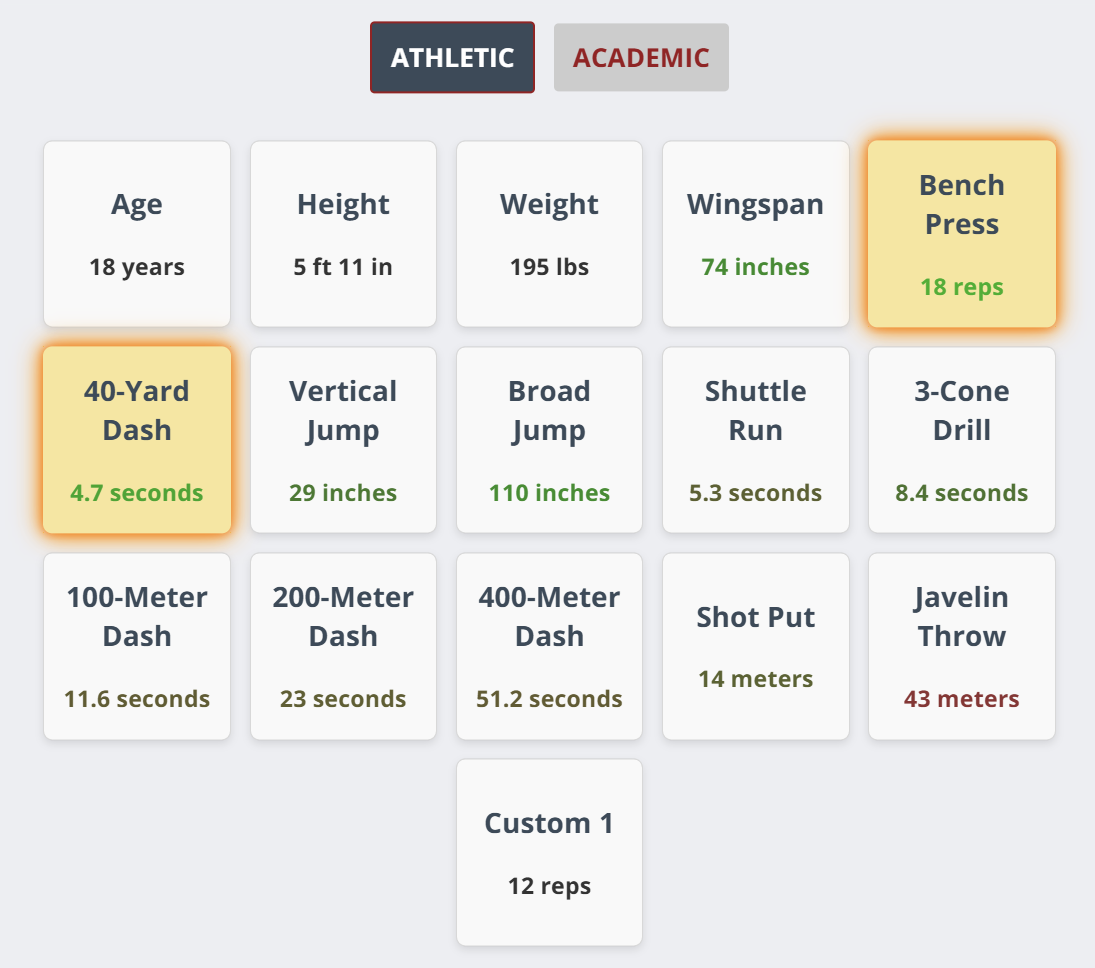
Sports Page needed things a business theme does not ship with: athlete stat blocks, recruitment-focused profile layouts, and a visual identity that looks nothing like a software company site. The question was whether Peerless could power it without being forked into a second codebase we would have to maintain forever.
A child theme, not a fork
HubSpot themes support inheritance, so Sportfolio (the theme behind sportspage.io) declares a single line in its theme.json: "extends": "src", pointing at Peerless. Every module, template, layout, and stylesheet in the base theme is available immediately. A fork would have meant fixing every bug twice; a child theme means the base keeps improving underneath the site that extends it.
Ten modules where it mattered
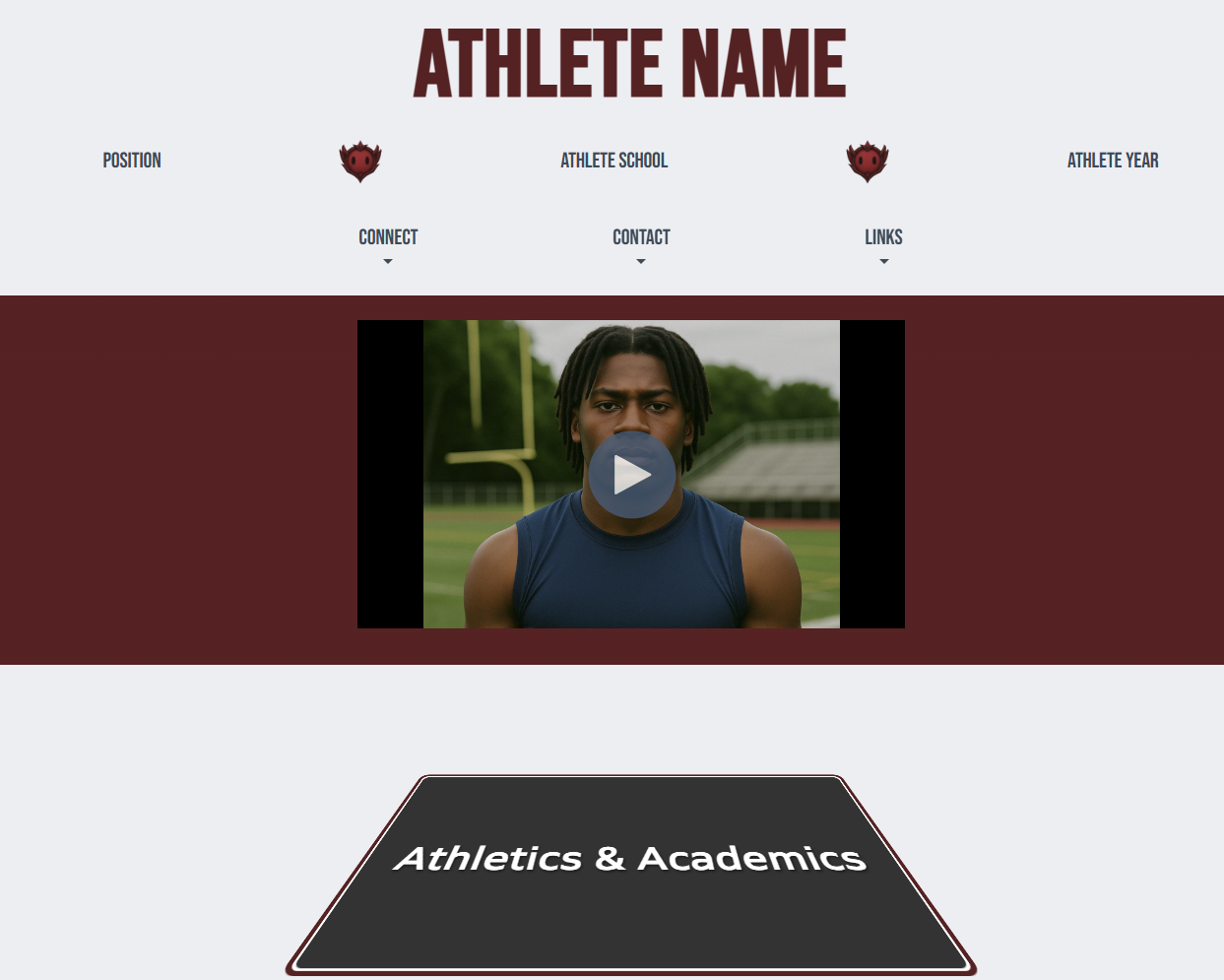
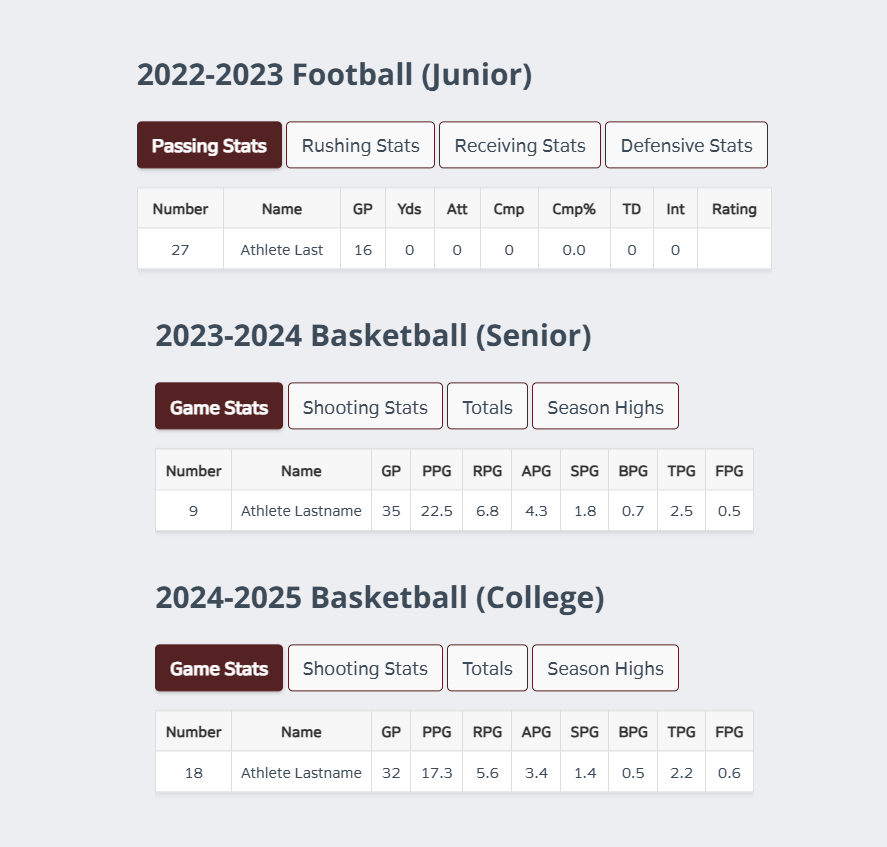
Peerless ships with more than forty modules. Sportfolio adds just ten of its own: two stat-block variants, a testimonial layout, a social connect block, a header variant, and a page-turn animation toggle among them. Navigation, footer, forms, the blog, CTAs, pricing tables: all inherited, zero lines rewritten. The home and landing page templates are the only structural overrides.
Rebranding was a variable swap
The two sites share almost all of their CSS and look nothing alike. Peerless keeps its design tokens in CSS variables at :root, so the child theme restyles by reassigning tokens rather than overriding rules selector by selector. The ITCSS layering keeps those overrides shallow and predictable. It is the same mechanism we describe in Theming with CSS Variables, exercised on a real brand instead of a hypothetical.
One repo, two production sites
There is no build step. Both themes live in one repository, and pushing a branch triggers a deploy of both to the matching HubSpot environment: sandbox, staging, or production. Fix something in the base theme and fcpsolution.com and sportspage.io both pick it up on the next push. The marginal cost of the second production site was ten modules and a stylesheet.
The takeaway for agencies
This is the workflow we would hand any team running multiple client sites on HubSpot: one disciplined base theme, thin child themes per brand, and spacing owned by sections so pages stay predictable, a principle we covered in Why Peerless Modules Ship with Zero Margins. Build the hard parts once; let every site after that be mostly configuration.
Comments
Related Posts

July 20, 2026
Four CSS Classes That Make Peerless Blog Posts Easier to Read
Four utility classes already built into Peerless let you float images, caption them, and stack link lists, all from the…
July 12, 2026
What Makes Peerless Different From Other HubSpot Themes
The specific architecture decisions -- no build step, zero-margin modules, ITCSS layering -- that separate Peerless…
July 12, 2026
The Story Behind FCP Solutions and Peerless
Why FCP Solutions builds Peerless as its own base theme, and how the same theme now powers more than one production…
July 12, 2026
How to Pass Core Web Vitals on HubSpot CMS
A practical checklist for hitting good Core Web Vitals scores on HubSpot CMS -- images, fonts, third-party scripts, and…
July 12, 2026
The Anatomy of a High-Converting CTA
What separates a call-to-action that converts from one that gets scrolled past -- copy, contrast, and placement, broken…
July 8, 2026
Powering a Sports Portfolio: BuildingSportsPage on Peerless
How we built sportspage.io as a child theme of Peerless: ten custom modules, everything else inherited, and one repo…